
Care management
Care plans your team will actually read.
Each person's plan is set out in six clear tabs, signed off by a manager and reviewed on time. Then care logs, charts and handover all sit in the same record.
Free for 30 days. Care plans, care logs and every chart are part of your plan.
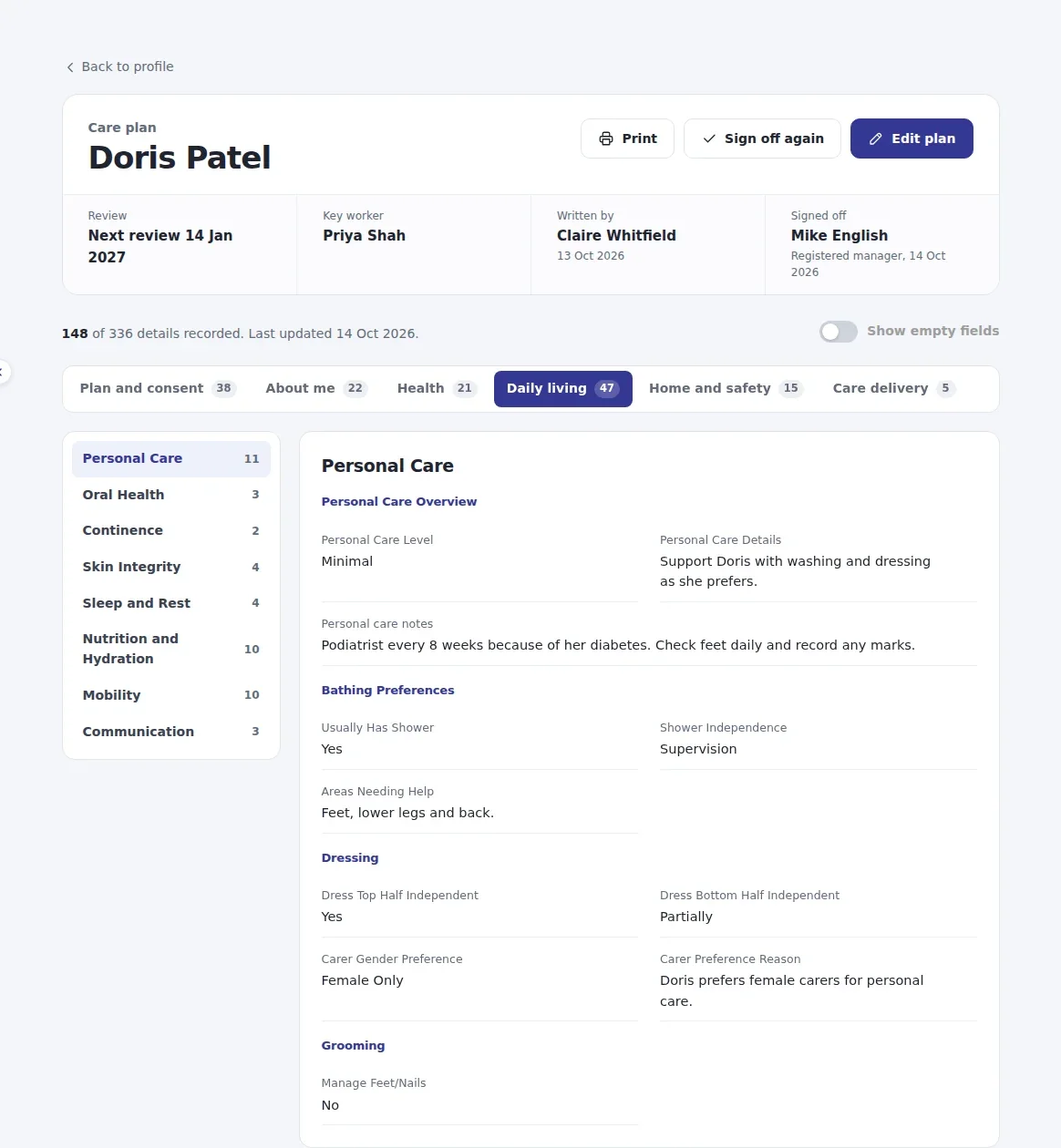
Six tabs. Every detail in its place.
- Plan and consent 4
- About me 5
- Health 5
- Daily living 8
- Home and safety 2
- Care delivery 2
Numbers show the sections in each tab. Empty fields stay hidden until you ask for them.

- Edit on the pageChange one field where you read it, or open the whole plan in edit mode. Nothing saves until you press Save.
- Everything keptAbout me, health conditions, routines, home access, advance care wishes and risk assessments, over 300 fields in all.
- Print or sharePrint the plan, download a PDF, or a redacted PDF with personal details removed.
Signed off, reviewed and never starting from blank.
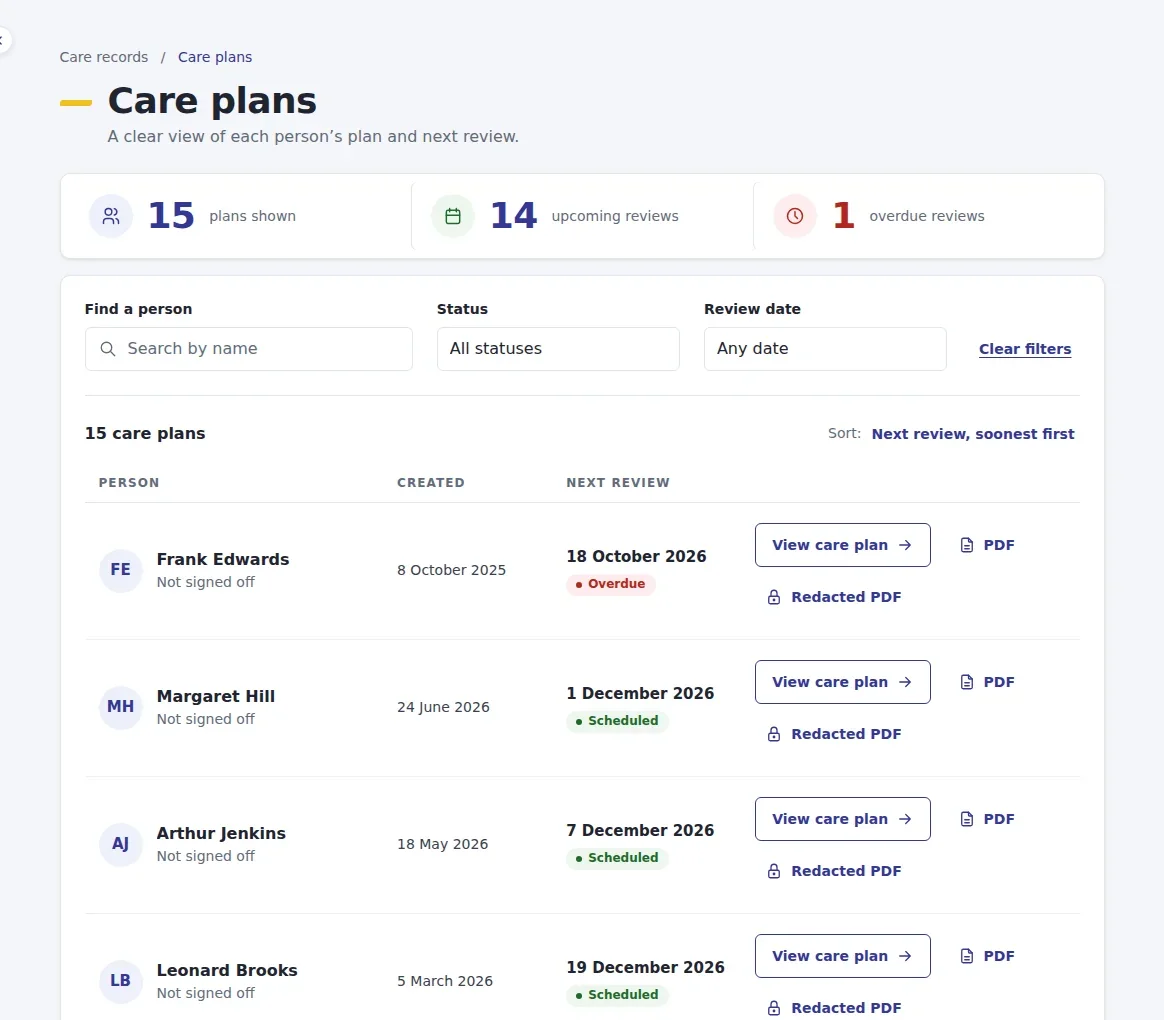
The Care plans list shows every person's next review, so nothing drifts past its date.
Sign off
Admins and managers sign off a plan with a note. Everyone sees who signed it and when, and the plan says so if it changes afterwards.
Review on time
Each plan carries a review date. Overdue, due today and scheduled reviews are flagged, with the soonest at the top.
Pre-filled from the profile
A new plan starts with what you already know about the person, so staff only add what is new.

Care logs written during the visit, on a phone.
Carers pick the person and the type of entry, and the right questions appear. A daily note takes about a minute.
- Daily notes, incidents and safeguarding, appointments and wellbeing checks.
- Tap a category and how the person seemed, from Great to Unsettled.
- Speak instead of typing, tidy the wording, or tap a ready-made phrase.
- Add photos or documents to the entry.
Families stay in the loop. A carer can share an entry with the family. A manager checks it before the family sees it in Family Connect.
One record for each person.
Their details, plan, medicines, care logs, risk assessments and safeguarding, one tab apart.
- The review date, key worker and service at the top of every profile.
- Add a care log entry straight from the profile.
- Allergies and missing risk assessments shown up front.
- When care ends, close the record. It stays read only, with its full history, and the place on your plan is freed.

Every chart and record, in the same place.
Open any of them from the person's profile. Each entry shows who recorded it and when.
-
Risk assessments
Falls, moving and handling, skin, medicines, nutrition and the home, each with a level and control measures.
Learn more -
Body map
Mark bruises, wounds and skin checks on a body outline, with actions and next steps.
Learn more -
Fluid chart
Each drink and output against a daily target, with an amber or red alert.
Learn more -
Food diary
Meals, appetite, how much was eaten and blood sugar readings where needed.
Learn more -
Bowel chart
Stool type, amount and anything to follow up, recorded in a few taps.
Learn more -
Pain management
Pain scores, where it hurts, what helped and who was contacted.
Learn more -
PBS records
Positive behaviour support: what happened before, during and after.
Learn more -
Goals and outcomes
Goals agreed with the person, with progress and review dates.
Learn more -
Consent
What the person agreed to, how capacity was considered and who was involved.
Learn more Pre-admission assessment
Assess a new person before care starts, then start their plan from it.
-
Medicines (eMAR)
Doses given, refused or missed, with stock and reasons.
Learn more -
Safeguarding concerns
Raise a concern from the record. It goes straight to your DSL.
Learn more
Search it all at once. Look back over any dates for one person or everyone, across care logs, medicines, incidents, food, fluids, body maps, pain and more.
Handover that builds itself.
Everything recorded on the last shift, gathered by person. The people who need attention come first.
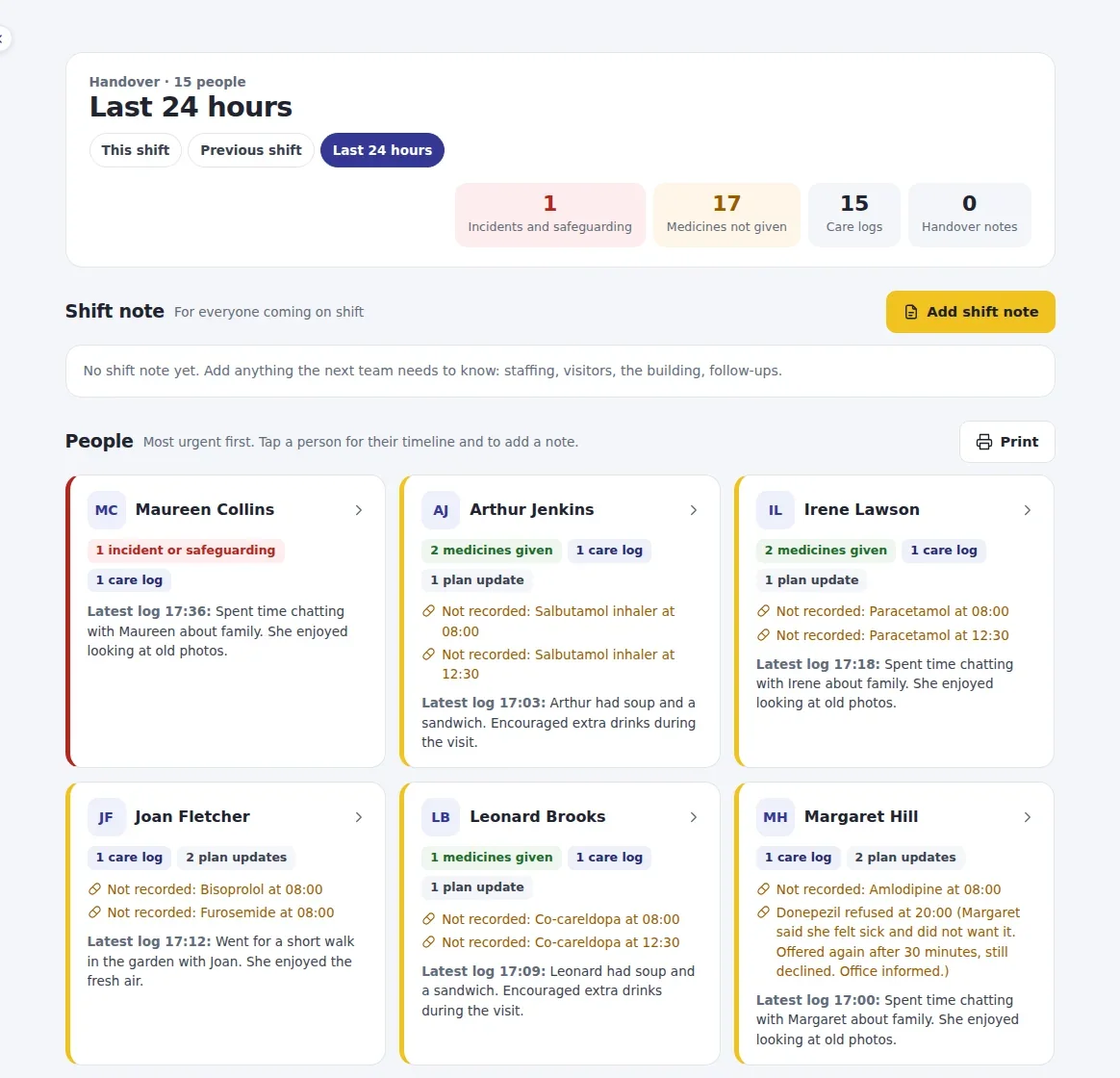
- This shift, the previous shift or the last 24 hours, with incidents, medicines not given and care logs counted at the top.
- A shift note for everyone coming on: visitors, the building, anything to follow up.
- Tap a person for their full timeline, or print the handover for the office.
Put your care plans all in one place.
Start a free trial and add your first person today, or book a demo and we will walk you through a sample service.
- Carers write care logs and charts. Admins and managers write and sign off plans.
- Each organisation only ever sees its own people and records.
- The same records feed your inspection evidence. See CQC evidence