
Shifts, sign-ins and staff records, kept together.
Carers sign in and out from their phone. Late arrivals give a reason, every sign-out makes the timesheet, and your rota, training and supervisions sit right alongside.
Free for 30 days. Rotas, timesheets, training and supervisions are part of your plan.

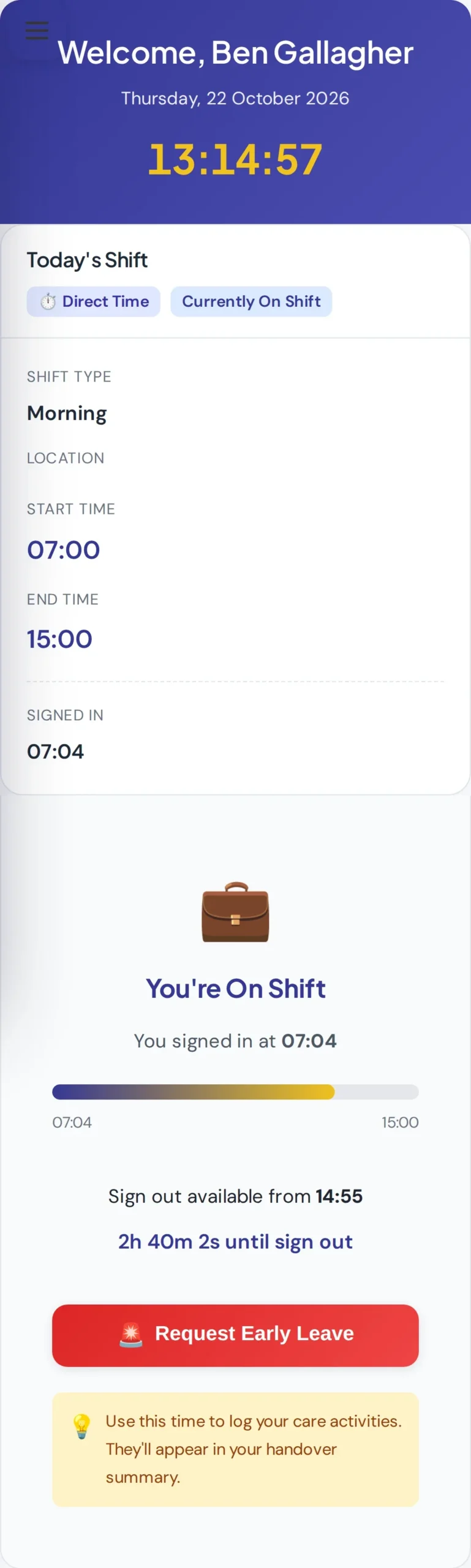

Sign in and out, with nothing to chase.
Each carer sees today’s shift with its start and end times, and signs in with one tap.
- Signing in more than 10 minutes late asks for a reason before it saves.
- Sign-out opens near the end of the shift, with a countdown.
- Reminders go out if someone forgets, with an automatic sign-out as a backstop.
- Carers can request to leave early, and a manager approves or declines.
Plan the week on one board.
See every shift for the week by staff member, by person supported, or as a calendar.
- Drag a name onto a day to add a shift, then repeat the week in one click.
- Care needed from care plans and open shifts sit at the top, so gaps show first.
- Clashes are caught, and nobody can be booked while on approved holiday.
- Ask Path who is working tomorrow or which shifts need cover.
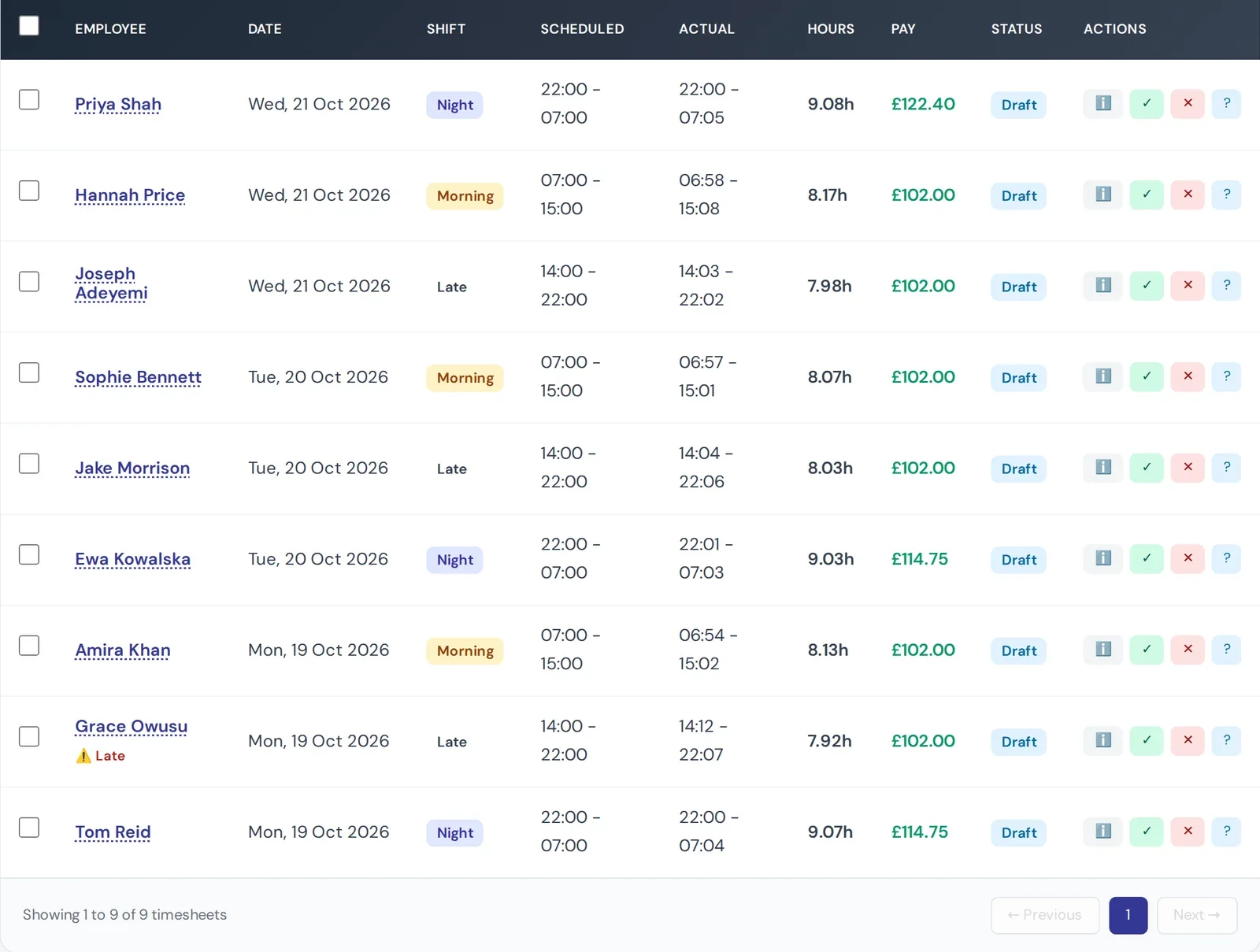
Timesheets made at sign‑out.
The moment a carer signs out, their timesheet is ready, with scheduled and actual times side by side.
- Hours and pay worked out from each person’s rates, including weekend and night rates.
- Late arrivals are flagged, with the reason the carer gave.
- Approve, then export to CSV or PDF for payroll.
Training and supervisions, always in view.
Know who is up to date, who needs a refresher and whose supervision is coming up.


Path keeps an eye on it. Managers get a nudge in Path when supervisions or training are due.
Run your team from one place.
Start a free trial and build your first rota today, or book a demo and we will show you a week in a sample service.
- Carers see their own shifts, sign-ins and timesheets on their phone.
- Managers and admins plan the rota, approve timesheets and record supervisions.
- Path answers rota questions and reminds managers what is due.