
Staff files and training
Know every member of staff is safe to work.
DBS, right to work, references, training and supervision for your whole team on one screen. Gaps show in red before anyone else spots them.
Free for 30 days. Staff files and training are part of your plan.

Five checks on every staff file.
The things you must be able to show for safe recruitment, checked for each person.
DBS
Level, certificate and issue date. Shows as a gap once it is a year old, unless they are on the Update Service.
Right to work
The type of check, when it was done, who did it and any recheck date.
References
Two needed, with one from the last employer, and the date each arrived.
Training
Taken from the training matrix, with anything expired flagged.
Supervision
The next one due, taken from the supervision records.
Open a file, put it right.
Each file shows what is missing at the top, then the details underneath.
- Admins, managers and your safeguarding lead can see and update files.
- Every change records who made it and when.

- Status at a glanceDBS, right to work, references, training and supervision across the top.
- Update ServiceRecord the last Update Service check for staff who have signed up.
- Last employerMark which reference came from their last job.
A training matrix that keeps itself current.
See each person’s mandatory training and compliance score, then deal with what has lapsed.
- Courses marked current, expired or not started, with completion and expiry dates.
- A daily check flags training due to expire in the next 30 days.
- Filter by status or role, and export to CSV.
- Ask Path who is out of date, or add a record in your own words.

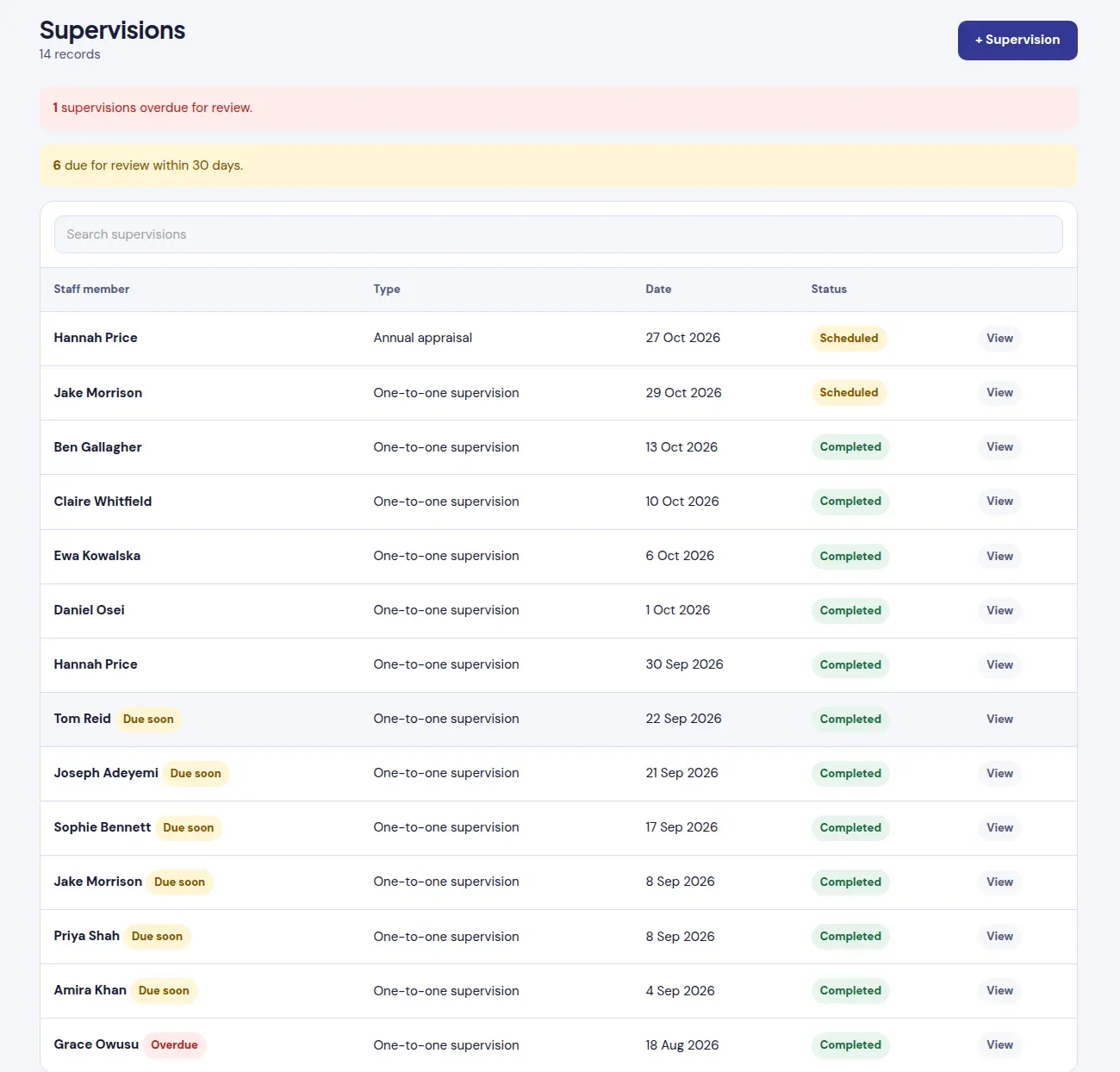
Supervisions that never slip.
One-to-ones and annual appraisals, each with a date and status.
- Overdue and due-soon supervisions show in a banner at the top.
- The next one due feeds straight into each staff file.
- Book or record a supervision with Path, using starter phrases.
Your whole team in one list.
Add staff, send invitations and keep roles and pay rates in one place.
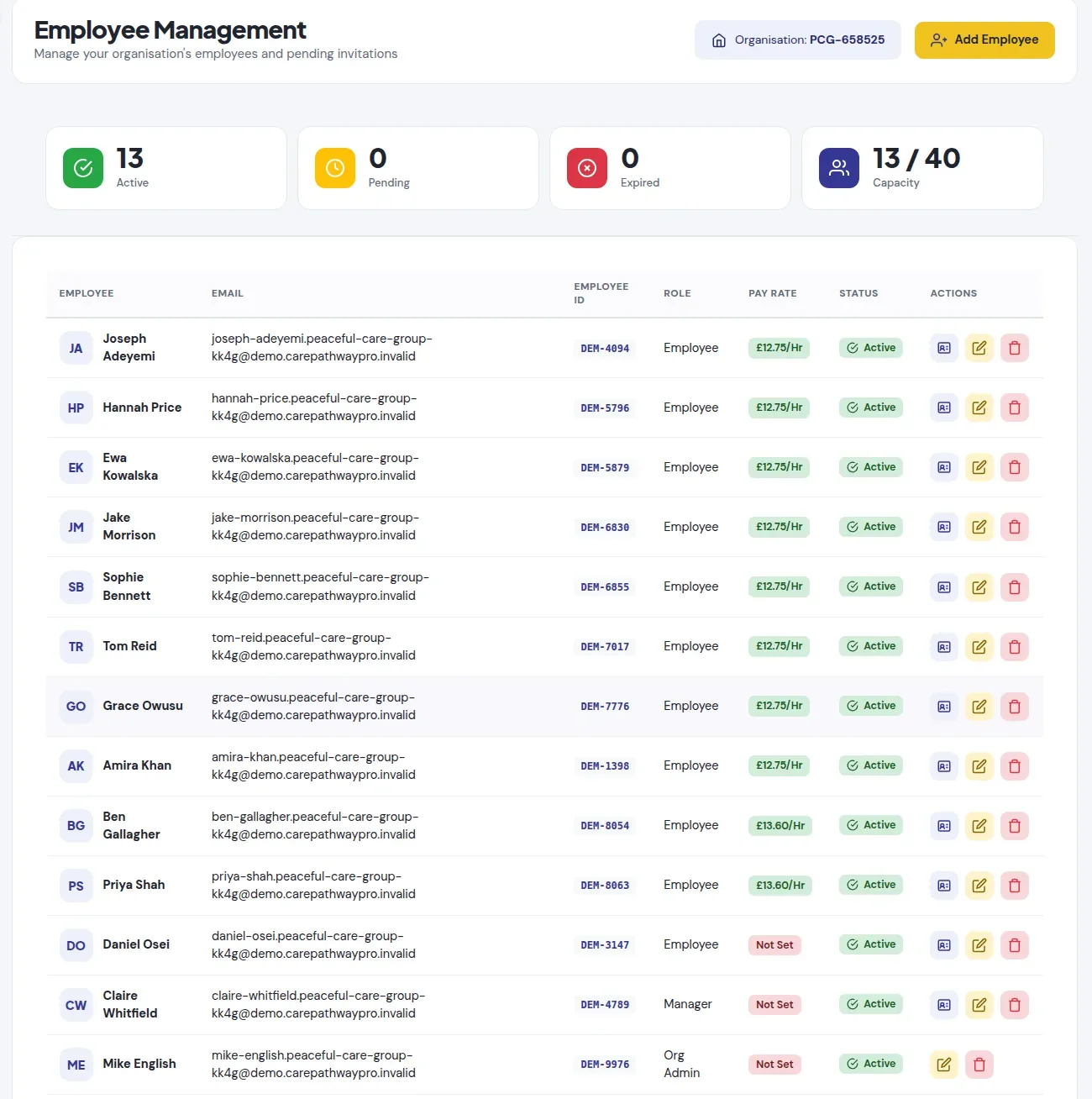
- See who is active, who has not accepted their invitation yet and whose invitation expired.
- Set each person’s role, so they only see what their job needs.
- Pay rates feed timesheets when staff sign out of a shift.
Audited on a schedule you choose.
The staff files and training audit sits in your Audit Centre with every other audit.
Set how often
Choose how often the audit is due. You get a reminder before it is.
Score it
Check the files and record what you found, with a score for the audit.
Close the actions
Anything that needs fixing becomes an action with an owner and a date, tracked until it is done.
Safe recruitment, without the spreadsheet.
Start a free trial and add your team today, or book a demo and we will walk you through a sample service.
- Path answers “who is out of date with training?” and “who is due supervision?”
- Expiring training and checks are flagged before they lapse.
- Rotas, sign-ins and timesheets for the same team. See rotas and staff